



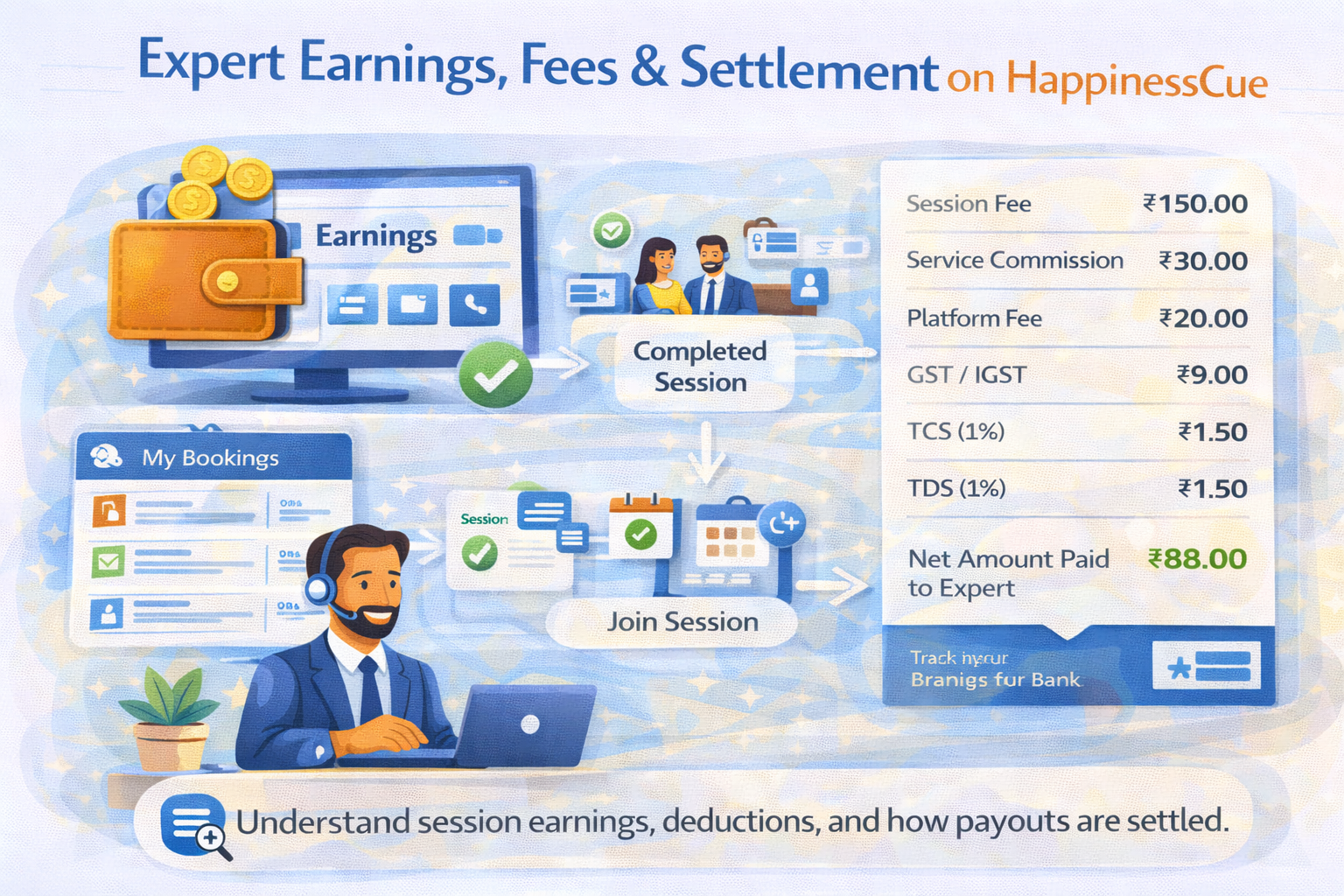
Expert Earnings, Fees & Settlement on HappinessCue
How Experts Earn on HappinessCue
Experts on HappinessCue earn by offering one-on-one guidance sessions to Clients through the platform.
Each session booked by a Client generates earnings for the Expert after the session is successfully completed.
Experts remain in control of their pricing and can set the session fee for the services they offer.
Clients pay the session fee at the time of booking, along with any applicable platform charges and taxes.
Payments are then processed according to the platform’s settlement rules.
Expert - Payments Fee & Settlements
Booking and Payment Flow
The payment process on HappinessCue follows a clear and structured flow.
- The Expert sets the session fee for their service
- A Client books the session and completes payment
- The session takes place at the scheduled time
- After the session is completed, the payout process begins
This process ensures that both Clients and Experts have clarity about session payments.
Payment Settlement Timeline
Payments are typically settled after a session has been completed.
On HappinessCue:
- Settlements are processed within 3 - 5 business days after session completion
- Payments are transferred to the bank account registered in the Expert profile
Settlement timelines may vary depending on banking processes or public holidays.
Platform Fees and Deductions
To maintain the platform and support its services, certain deductions may apply to each completed booking.
Typical deductions may include: (Example Only)
- Service Commission: 20% of the session fee
- Platform Fee: A flat charge per booking (if applicable)
- GST / IGST: As per prevailing government regulations
- TDS / TCS: As required under Indian tax laws
All deductions are clearly shown in the Expert dashboard so Experts can see exactly how payouts are calculated.
Expert - Payments Fee & Settlements
Example Payment Breakdown
Below is an illustrative example of how a session payment may be calculated.
|
Component |
Amount |
|---|---|
|
Session Fee (Including Taxes) |
₹150.00 |
|
Service Commission (20%) |
₹30.00 |
|
Platform Fee |
₹20.00 |
|
GST / IGST (18%) |
₹9.00 |
|
TCS (1%) |
₹1.50 |
|
TDS (1%) |
₹1.50 |
|
Net Amount Paid to Expert |
₹88.00 |
Note: This example is for illustration purposes. Actual deductions may vary depending on applicable laws and platform configurations.
Where to Track Your Earnings
Experts can monitor their financial activity directly through their dashboard.
The dashboard typically shows:
- Session-wise earnings
- All deductions applied
- Pending payouts
- Settlement history
This provides full visibility into how your earnings are calculated and processed.
Important Things to Know
When working as an Expert on HappinessCue, keep the following points in mind:
- Payments are released only after a session is completed
- Cancelled or no-show sessions follow platform cancellation policies
- Ratings or search ranking do not affect payouts
- All tax deductions are applied according to applicable laws
HappinessCue follows a transparent payment system with no hidden charges.
Common Questions
Can I set my own session price?
Yes. Experts have control over the pricing of the services they offer.
When do I receive payment for a session?
Payments are usually settled within 3–5 business days after session completion.
Where can I see my earnings details?
You can view all earnings and settlements in the Expert dashboard.
Do ratings affect how much I earn?
No. Ratings influence visibility and credibility, but they do not change payout calculations.
Need Help With Payments?
If you have questions regarding:
- Missing payouts
- Settlement delays
- Incorrect deductions
You can raise a request through the Support section on your Expert dashboard.