



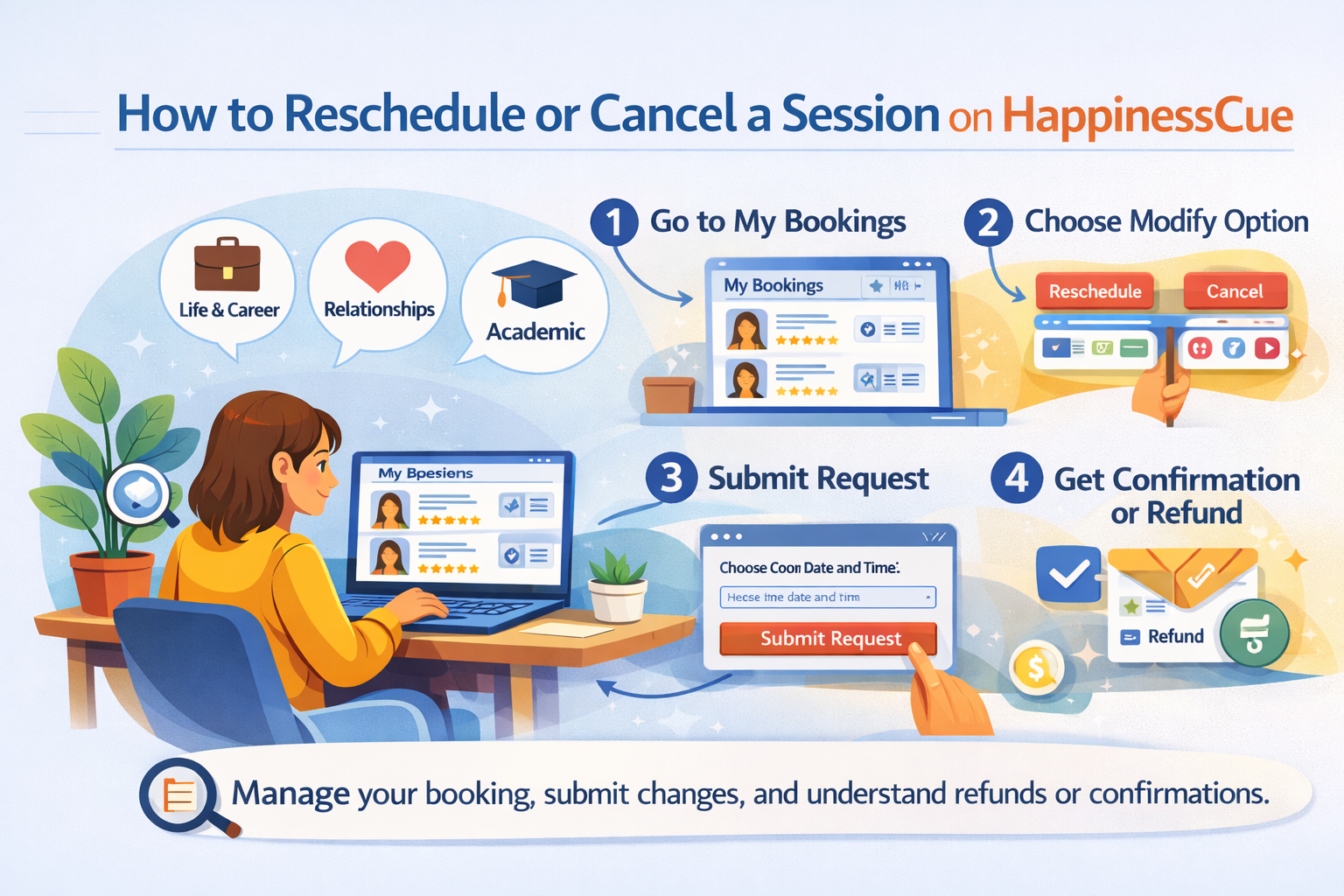
How to Reschedule or Cancel a Session on HappinessCue
Managing Your Session Booking on HappinessCue
Plans can sometimes change after a session has already been booked. HappinessCue allows Clients to request rescheduling or cancellation of their sessions directly through the platform.
The process is simple and transparent, while also ensuring fairness to both Clients and Experts.
This guide explains how to submit a rescheduling or cancellation request and what you can expect afterward.
Step 1: Log in to Your Account
To manage your booking, first log in to your HappinessCue account.
After logging in:
- Go to your Dashboard
- Open the My Bookings section
Here you will see a list of your sessions, including both upcoming and past bookings.
This section allows you to review session details and manage booking-related actions.
Step 2: Select the Booking You Want to Modify
From the My Bookings page:
- Click on the specific session you want to reschedule or cancel
- Open the Booking Details page
The available options will depend on factors such as:
- Time remaining before the session
- Platform policies
- The Expert’s availability
If changes are allowed for that session, you will see the available action buttons.
Step 3: Request Rescheduling
If you want to move your session to another time, you can submit a rescheduling request.
To do this:
- Click Request Reschedule (if the option is available)
- Choose a new preferred date and time
- Submit the request through the platform
Once submitted, the Expert will receive a notification about your request.
Important points to note:
- Rescheduling requests require Expert approval
- The new time slot must be available in the Expert’s schedule
After approval, the booking will automatically update with the new session time.
Step 4: Request Cancellation
If you are unable to attend the session, you may request cancellation.
To submit a cancellation request:
- Click Request Cancellation
- Confirm the cancellation request
Whether cancellation is allowed depends on the time remaining before the session and the platform policies shown during booking.
Once the request is submitted, the system processes it according to the applicable rules.
What Happens After You Submit a Request?
After submitting a rescheduling or cancellation request:
- The Expert is notified about the request
- You will receive updates through email or dashboard notifications
- The system processes the request according to platform rules
If the request is approved:
- The booking will be updated or cancelled accordingly
If the request cannot be approved:
- The original session remains scheduled as planned.
Refunds and Charges
Refund eligibility depends on the platform’s cancellation policies and the timing of the request.
Important points regarding refunds:
- Refund eligibility depends on the cancellation timing and booking conditions
- If a refund applies, it is processed through the original payment method
- Processing timelines may vary depending on the payment gateway used
Clients are encouraged to review cancellation rules during the booking process.
Important Things to Know
Before requesting changes to your session, keep the following points in mind:
- Not all sessions may qualify for free rescheduling or cancellation
- Cancellation and rescheduling policies are shown during booking
- Premium members may receive additional flexibility depending on their plan
- Missing a session without prior notice may be treated as a no-show, which may not qualify for a refund
These rules help maintain fairness for both Clients and Experts.
Common Questions
Can I reschedule my session multiple times?
Rescheduling policies may vary depending on platform rules and Expert availability.
Will the Expert automatically accept my reschedule request?
Rescheduling requests typically require Expert approval and depend on available time slots.
What happens if my cancellation request is rejected?
If a request cannot be processed according to the applicable rules, the original booking remains scheduled.
How will I know if my request was approved?
You will receive a notification through email or your dashboard once the request is processed.
Need Help With Your Booking?
If you experience difficulty while rescheduling or cancelling a session, you can:
- Visit the Support section for related help articles
- Raise a support request from your dashboard
- Contact the HappinessCue support team for assistance