



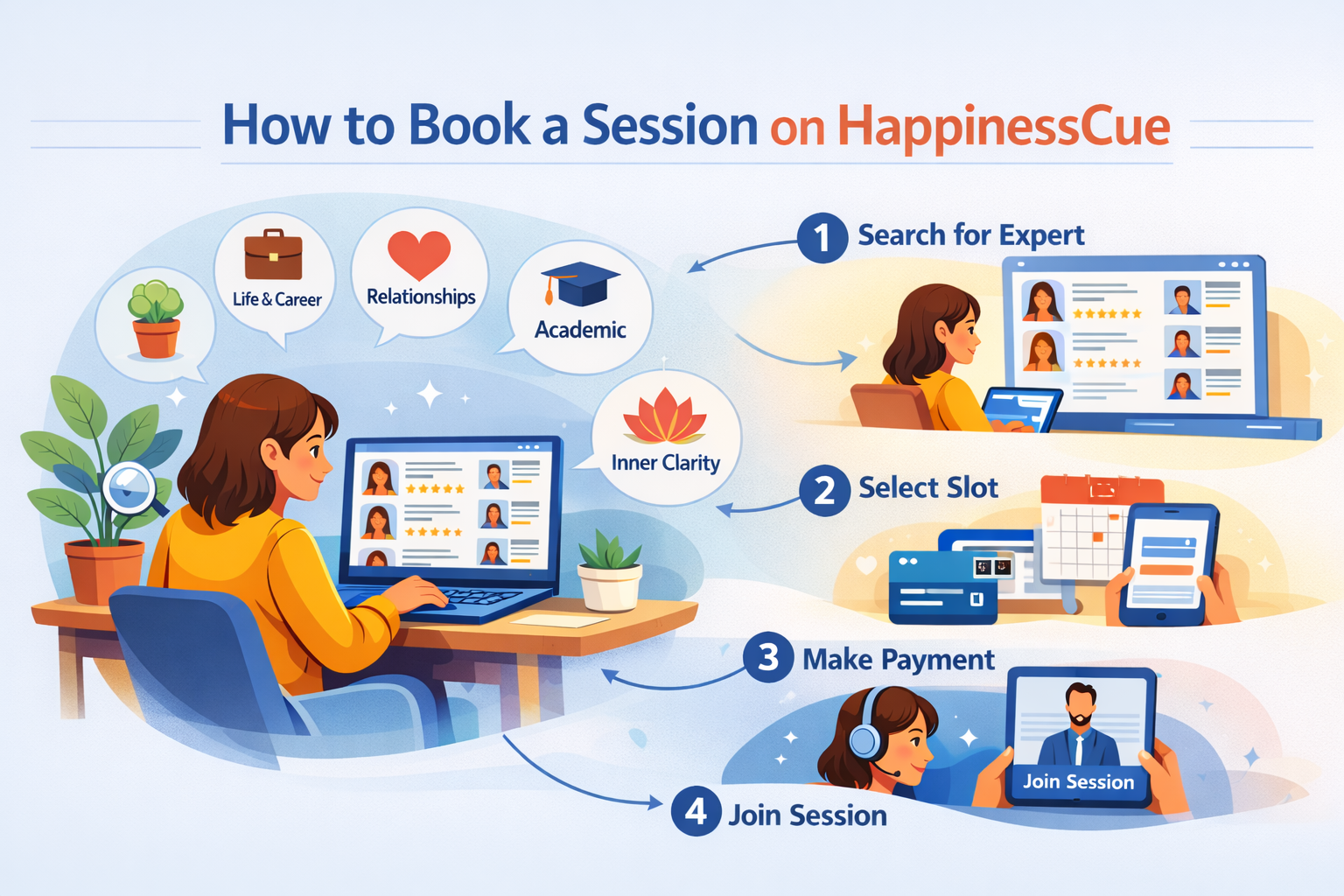
How to Book a Session on HappinessCue
Booking a Session on HappinessCue
HappinessCue is designed to make it simple for Clients to connect with verified Experts and schedule meaningful one-on-one sessions.
Whether you are seeking guidance on personal decisions, career direction, relationships, or life clarity, the platform allows you to explore Experts and book sessions in just a few steps.
This guide explains how the booking process works from start to finish.
Step 1: Log in to Your Account
To begin, log in to your HappinessCue account.
You can do this by:
- Visiting the HappinessCue website
- Clicking the Login option
- Signing in using your registered email address or mobile number
If you are new to the platform, you will need to create an account first through the Sign Up process.
Creating an account ensures your bookings, payments, and session history remain securely recorded on the platform.
Step 2: Search for an Expert
Once logged in, you can begin exploring Experts available on the platform.
You can find Experts by:
- Using the search bar
- Browsing through different guidance categories
- Applying filters to narrow down your options
Common filters include:
- Area of guidance or service
- Preferred language
- Availability and time slots
Clicking on an Expert’s profile will allow you to review more details before making a decision.
Step 3: Review the Expert Profile
Before confirming a booking, it is recommended that you review the Expert’s profile carefully.
You can check:
- The Expert’s profile summary and background
- Types of services offered
- Session duration and pricing
- Available booking slots
- Ratings and reviews from other Clients
If you are still exploring options, you can also save the Expert to your Favourites and return later to complete the booking.
Step 4: Select a Service and Time Slot
After choosing the Expert you wish to connect with, the next step is selecting the specific service and time slot.
You will be able to:
- Choose the type of session or service offered
- Select an available date and time slot that suits your schedule
If your preferred time is not available, you may also be able to request a custom slot, depending on platform policies and the Expert’s availability.
Step 5: Make the Payment
Once the session details are selected, you will be directed to the payment step.
Before completing payment, you will be able to:
- Review the booking details
- See the full price breakup
- Apply any available coupons, credits, or promotional offers
After verifying the details, you can complete the payment using the available payment options provided on the platform.
Your booking will be confirmed only after the payment is successfully processed.
Step 6: Booking Confirmation
Once your booking is completed, the platform will confirm your session.
You will be able to:
- View the session under My Bookings in your dashboard
- Receive a confirmation notification or email
- See session details including date, time, and joining information
This ensures that all session information remains easily accessible whenever you need it.
Step 7: Join the Session
At the scheduled time, you can join the session directly through the platform.
Simply:
- Go to My Bookings
- Click Join Session
If you face any technical issues while joining, you may try reconnecting or contact support through the platform’s help section.
Important Things to Know
Before booking a session, it is useful to keep a few key points in mind:
- Bookings are confirmed only after successful payment
- Session availability depends on the Expert’s schedule
- Cancellation and rescheduling policies are displayed during booking
- Premium members may have access to additional flexibility or benefits
These policies help maintain fairness and reliability across the platform.
Common Questions
Can I book multiple sessions with different Experts?
Yes. You are free to book sessions with multiple Experts depending on your needs.
Where can I see my confirmed bookings?
All confirmed sessions appear under the My Bookings section in your account dashboard.
What if I miss my session time?
Missed sessions may be subject to the platform’s cancellation or rescheduling policies.
What should I do if I face technical issues while joining?
Try rejoining the session first. If the issue continues, you can contact support through the Help or Support section.
Need Help With Your Booking?
If you need assistance with:
- Finding the right Expert
- Completing a booking
- Payment issues
- Rescheduling or cancellations
Please visit the Support section or contact the HappinessCue support team through the platform.